
Stop team members from overwriting each other’s work.
Kenesto automatically locks files when you open them. Vault Mode is also available for full manual check-out control- so nobody can overwrite each other’s work, and you always know who has a file locked.
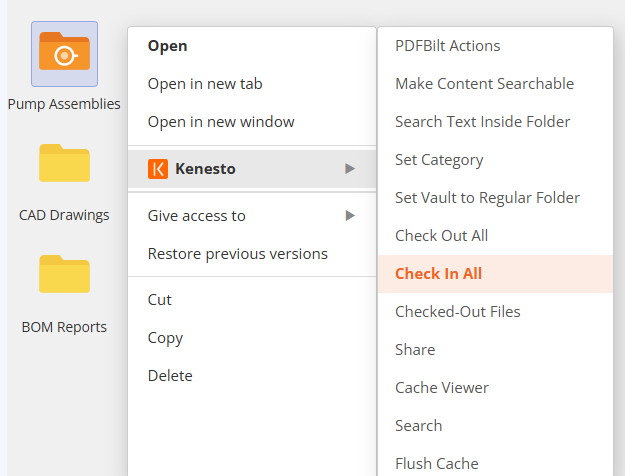
Two locking modes. Zero conflicts.
No manual coordination- Kenesto locks documents automatically, or semi-automatically in Vault Mode, as your team works.
Automatic protection the moment a file opens
When someone opens a document, everyone else automatically gets View Only access.
Full manual control with Check-Out / Check-In
Designate any folder as a Vault and require an explicit check-out before a file can be edited. No one else can edit a checked-out file until it is checked back in.
Prevent accidental overwrites, automatically
Kenesto’s automatic file locking and Vault Mode prevent team members from overwriting each other’s work.
See who has a file checked out, any time
Every document shows who's currently editing it- no more guessing or asking around.
Watch smart file locking at work.
A short demo of how Auto Lock and Vault Mode check-out keep your team from overwriting each other's work.
Built for CAD teams, not general file storage
Kenesto is a cloud-based document management system designed for engineers and designers. With Kenesto Drive, CAD and other applications work directly with cloud documents just like a local drive, with automatic locking and check-out control built into every file and folder.
- ✓AES-256 encryption with backup and disaster-recovery protocols
- ✓Built on AWS — S3 and EC2 cloud infrastructure
- ✓Certified SolidWorks and Autodesk Solution Partner, and a DraftSight partner
Smart file locking is one piece of the platform.
Version control, secure sharing, tasks, workflows, categories, and a built-in viewer all live alongside it — explore more of Kenesto's features.